
iTour TX06 Audio Glasses FAQs
A total of 9 questions. Click on a question to expand the answer.
How should the newly purchased iTour TX06 translation headphones be started?
Please follow the steps below to start the device and connect it to your phone:
1.Wear and turn on the device
When the audio glasses are worn correctly, the device will turn on automatically
2.Bluetooth connection
Go to your phone's system settings → Bluetooth, and select from the list of available devices “iTour TX06” Establish a connection.
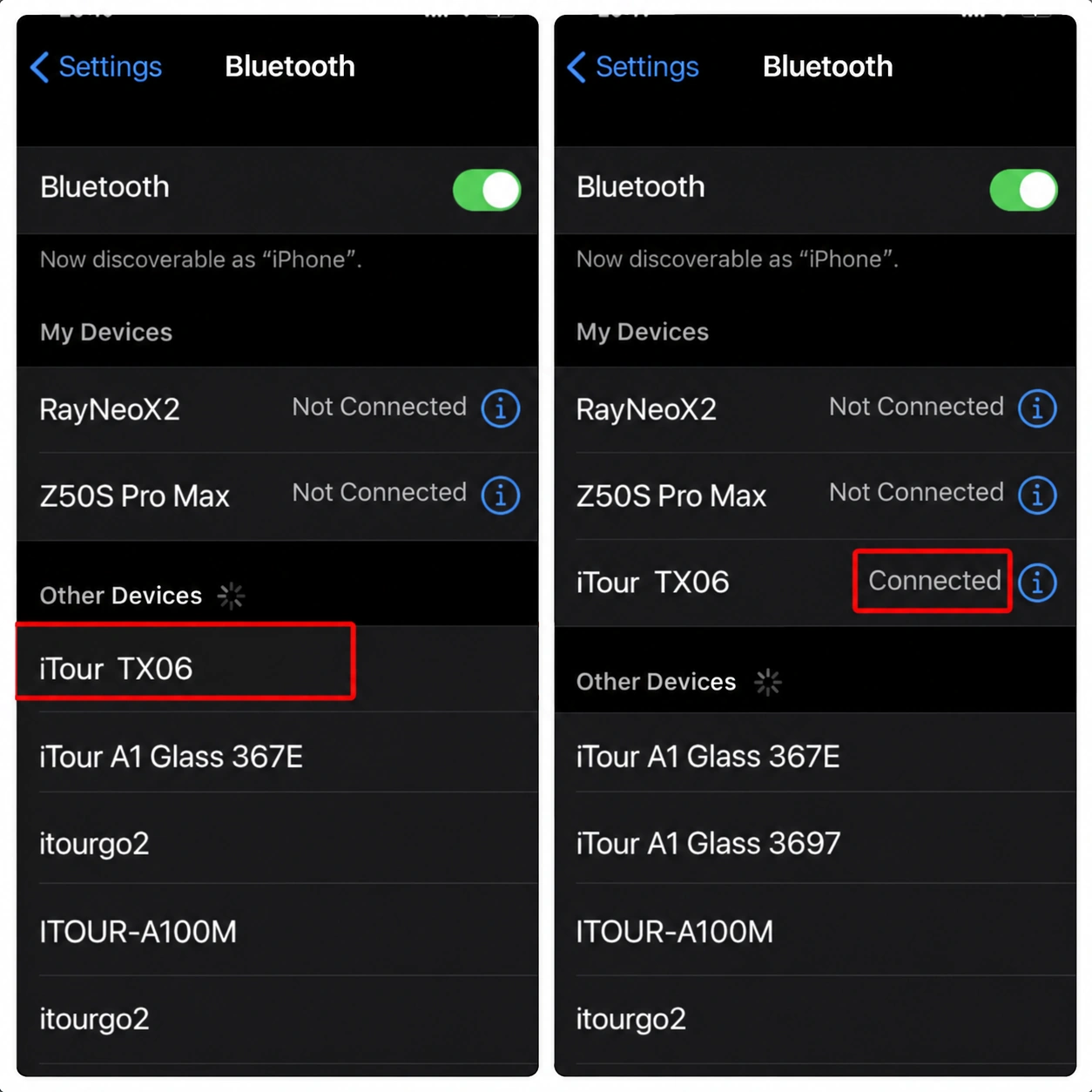
3.App pairing
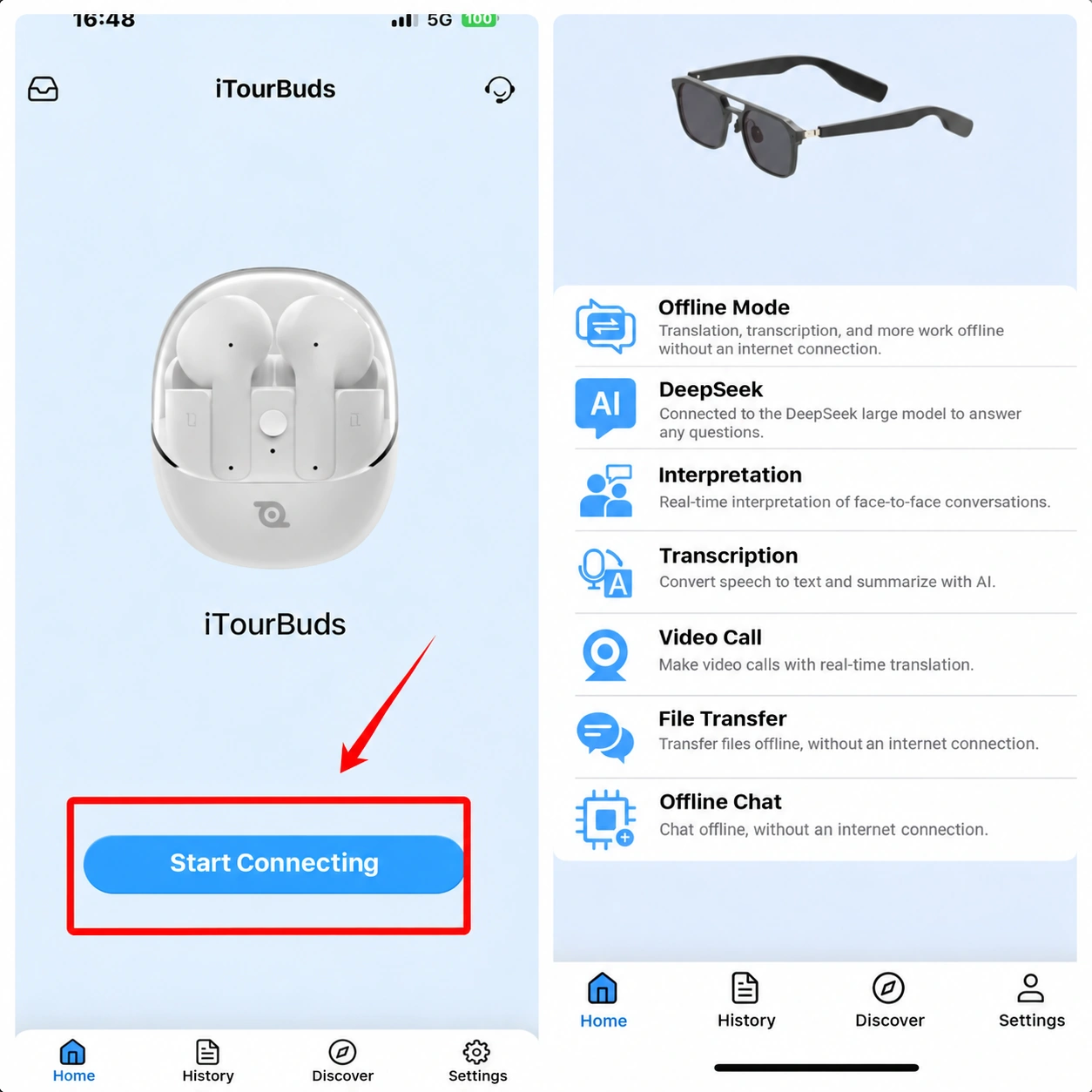
After the Bluetooth connection is successful, turn on iTourBuds APP, click on the homepage or the device page [Start Connecting], the app will automatically search and complete the pairing with the headphones.
4. Get Started
Once paired successfully, you can use all the functions corresponding to the earphones normally..
How to use the iTour TX06 headphones in speaker mode?
Bilingual translation, the other partyThe content of the speech after translationEarbudsplay it aloud,your sideThe content of the speech after translationPhone SpeakerAudio Playback
Click the image below microphoneButton, just clickEnable recognitionTranslate
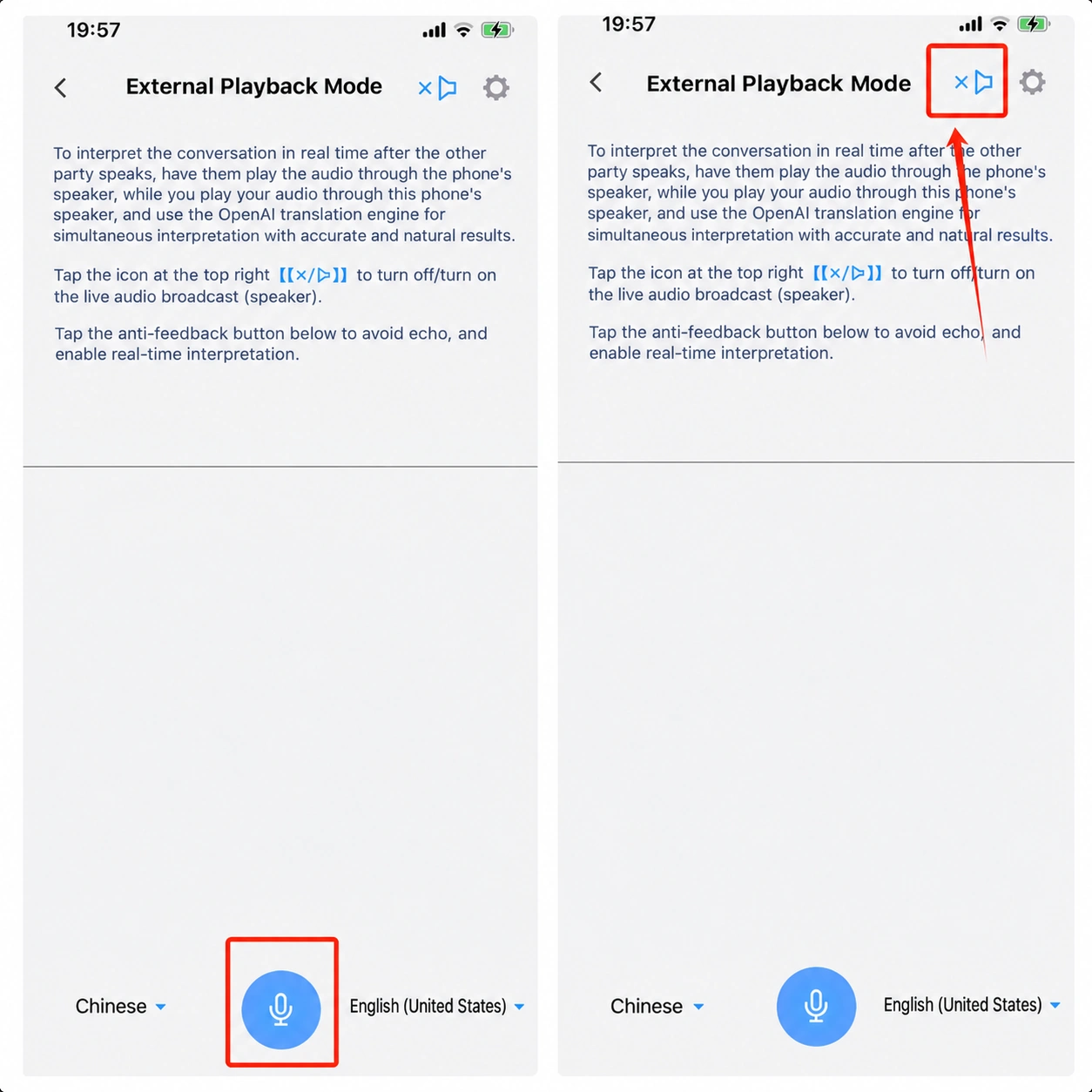
Phone SpeakerAudio PlaybackCan Be Turned Off
How to use iTour TX06 headphones DeepSeek?
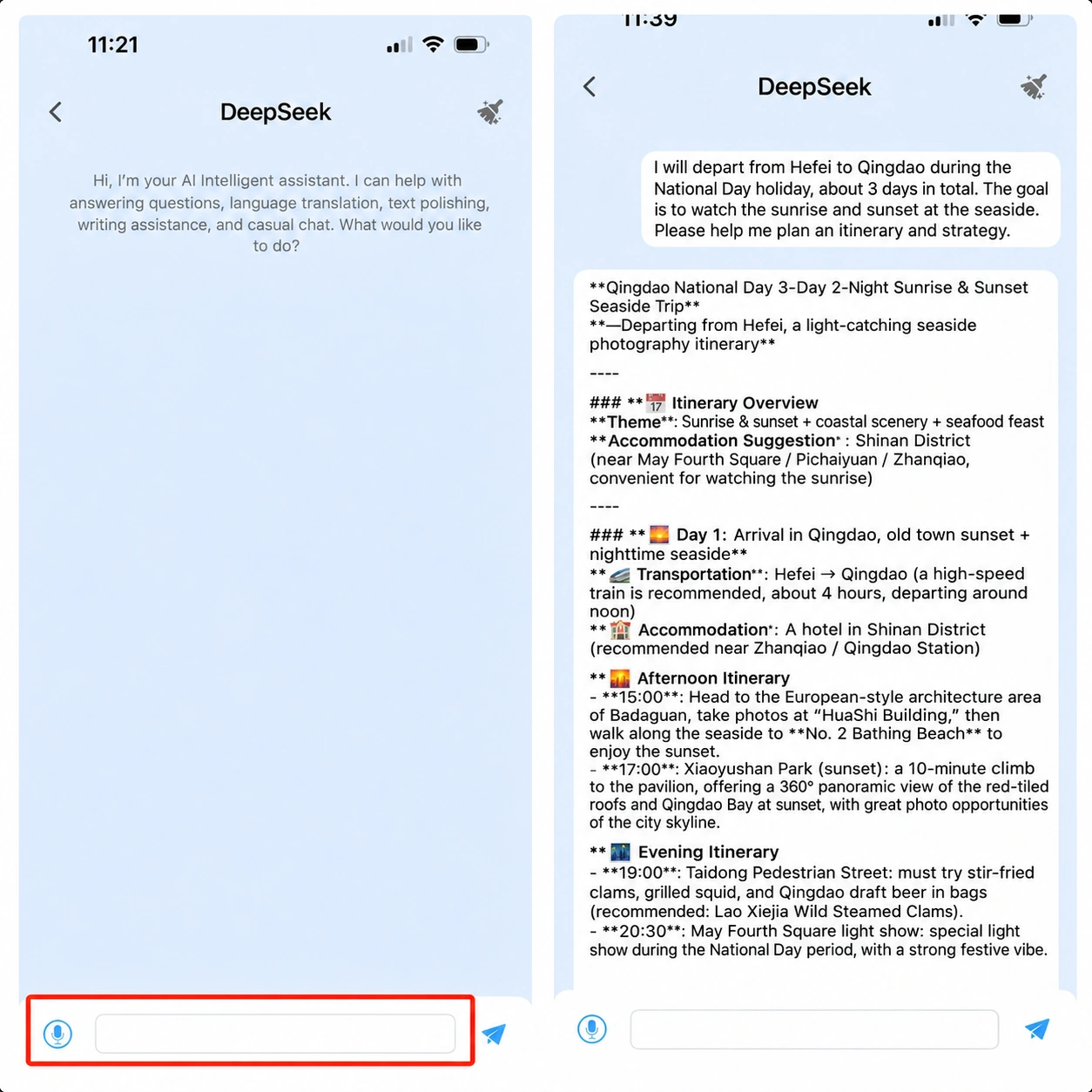
IntegrationDeepseekA large model, you can ask any questions, for example: writing assistance, copy editing, language translation, code problem troubleshooting, travel itinerary planning, and it can also chat with you.Supports text input and voice input
How to use the iTour TX06 headphones listening mode?
Listening Mode:Suitable forFace to facecommunication,Left sideButton recognitionthe other partyLanguagetranslate into the language on the rightLanguage and pass throughHeadphone announcementto you. After playback,Automatically turn on Right sideThe button recognizes this language, translation and broadcasting passPhone Speaker Audio PlaybackLet the other person hear,Tap to open.
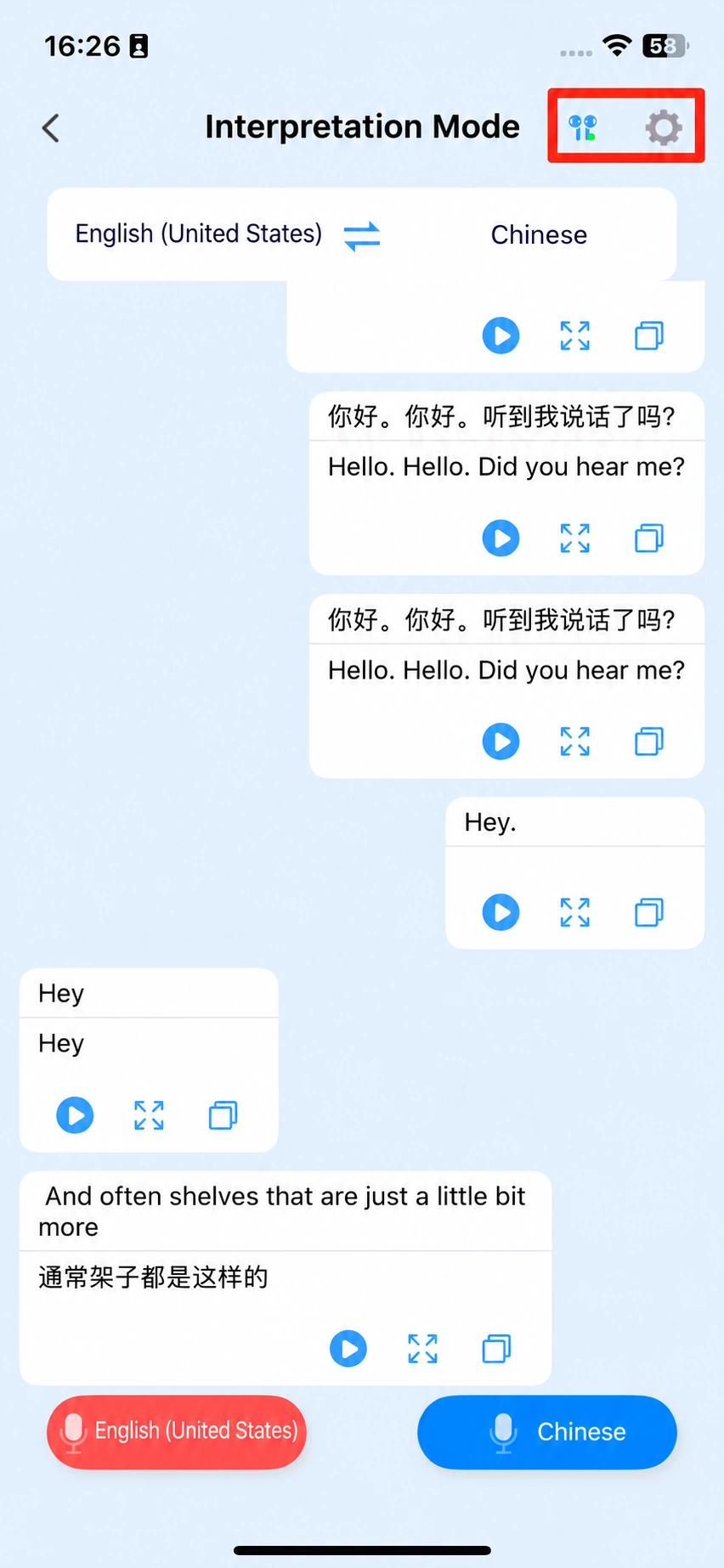
How to use iTour TX06 headphones for meeting transcription?
ClickMicrophoneButton, OnReal-time transcription, Transcribe without translating.
How to use the iTour TX06 headphones for video calls?
Video call:By sending an invitation link to a friend and the friend clicking the link,Join CallAfterwards, it canReal-time call and chat translation, Supports voice calls, video calls, and text chat, the specific operation steps are as follows:
1. EnterVideo CallOn the page, select the third-party social platform you need to call.
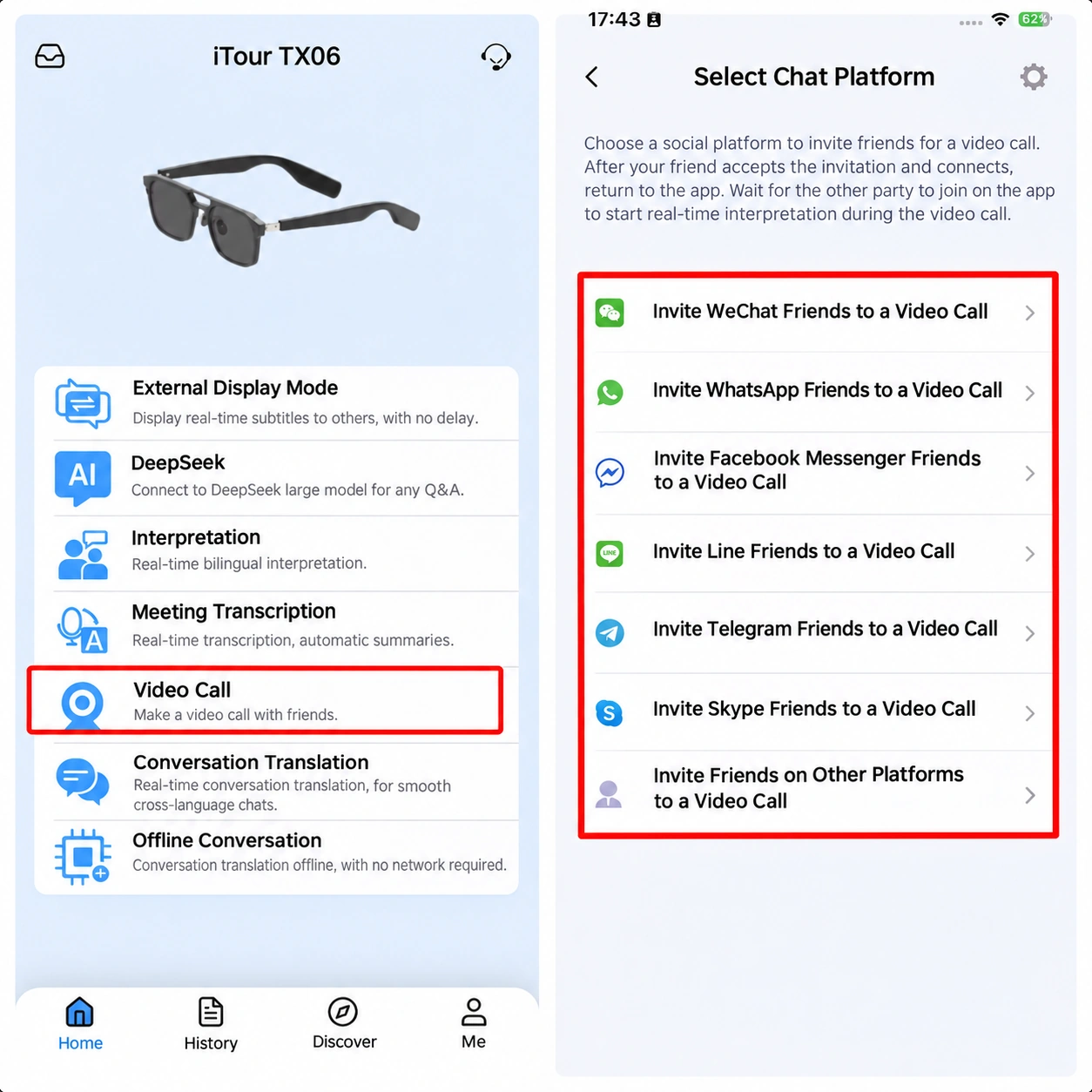
2. ChooseLanguages of both parties, call type, click[Invite]
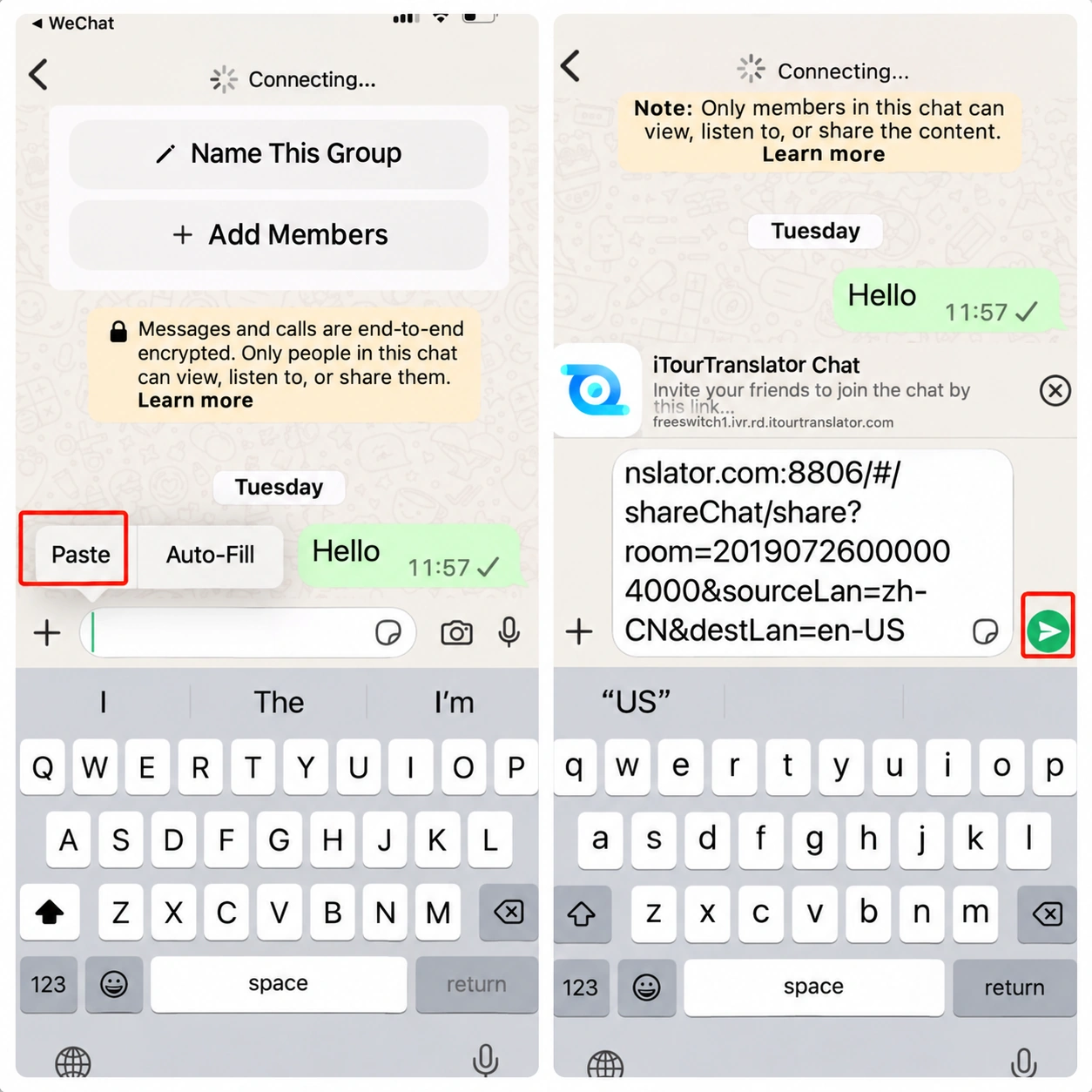
3. Click"Go to XXX to paste to a friend"
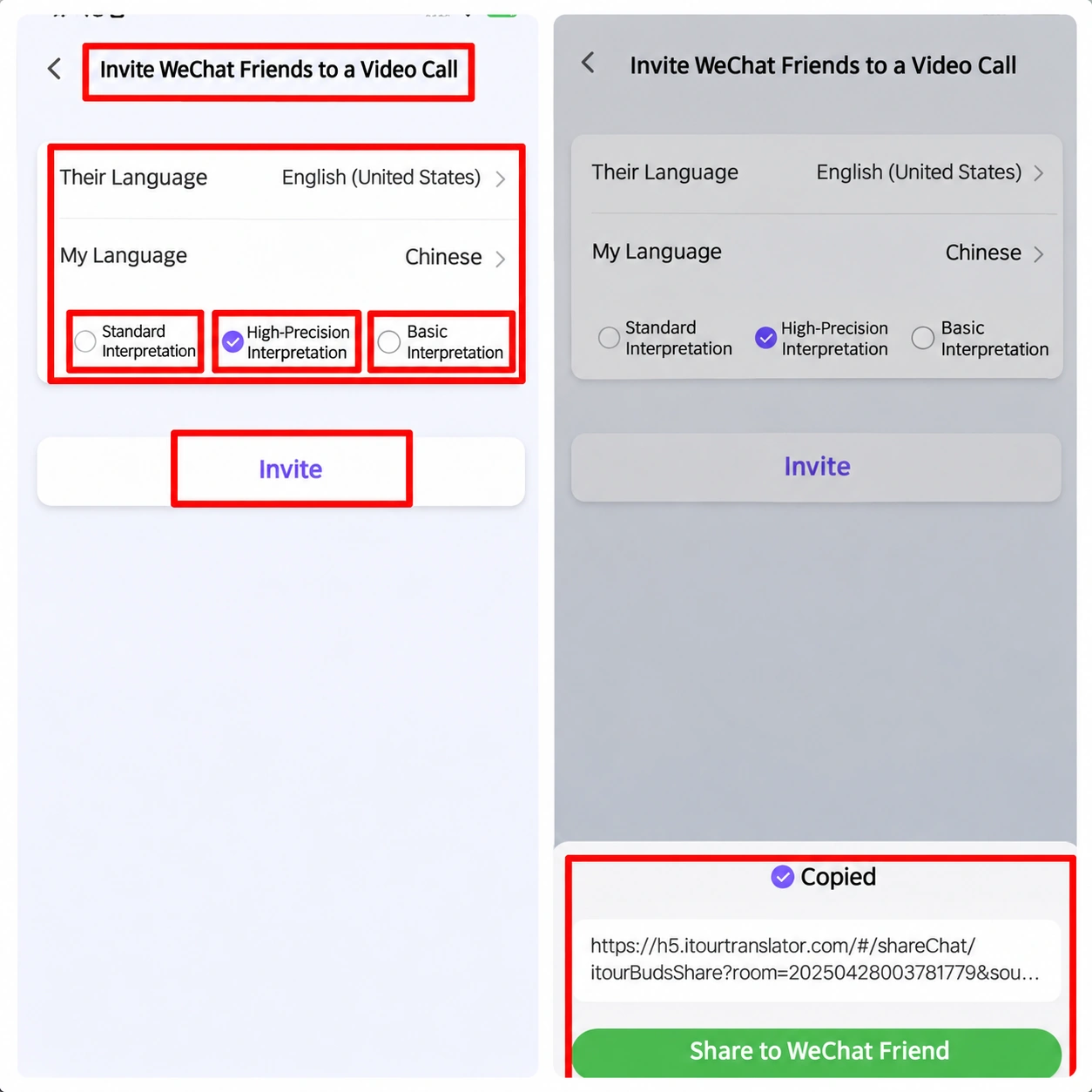
4. After pasting the link to a friend, go back to iTourBuds APP Dial page,Waiting for the other party to joincan doReal-time call and chat translation
Introduction to iTour TX06 Headphone Offline Simultaneous Interpretation Function
Offline simultaneous interpretation:After downloading the offline language pack,In an offline environmentYou can also enable simultaneous interpretation, the specific steps are as follows:
1. ClickMicrophone, prompt to download offline resource package
2.First timeDownloadDefault language pairOffline resource pack
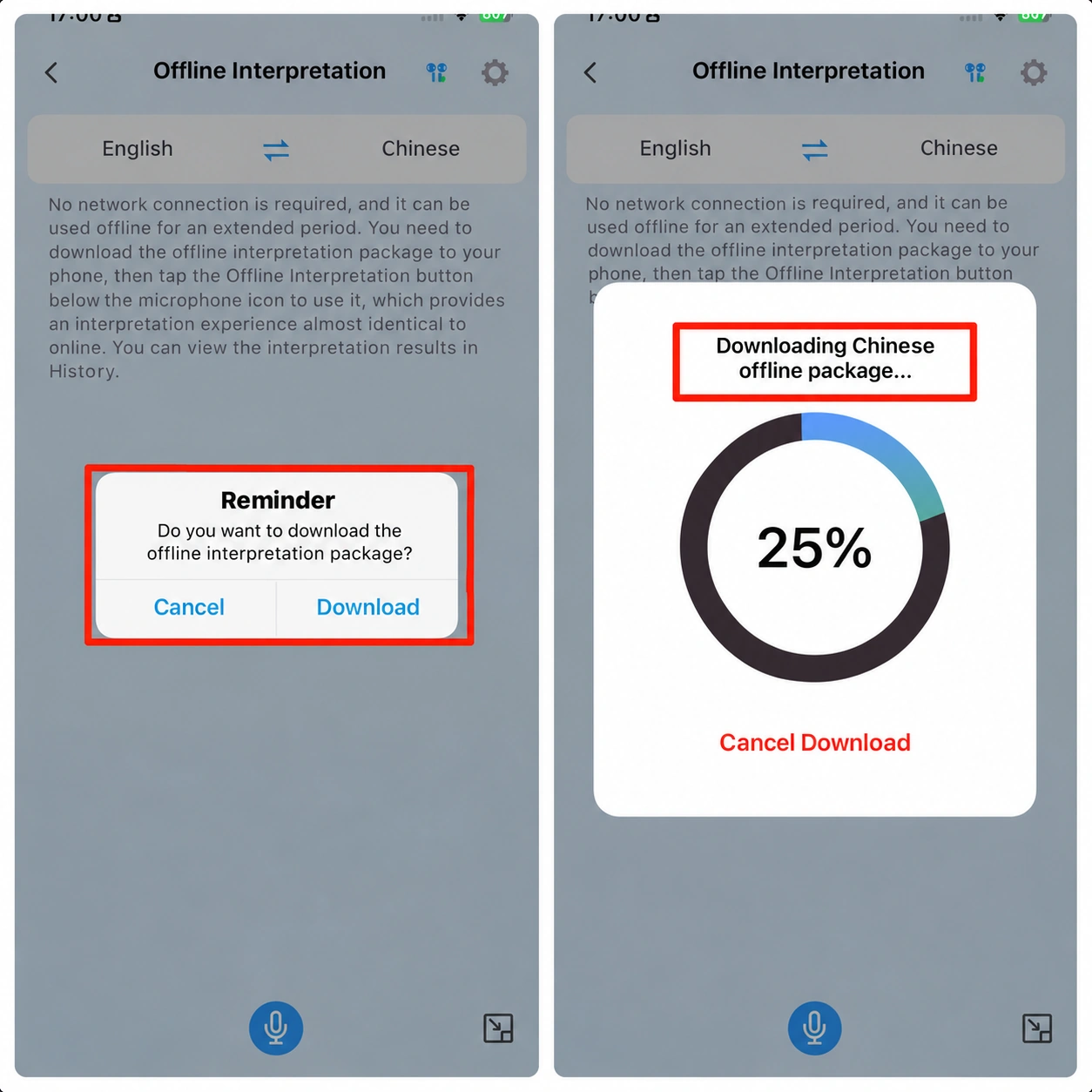
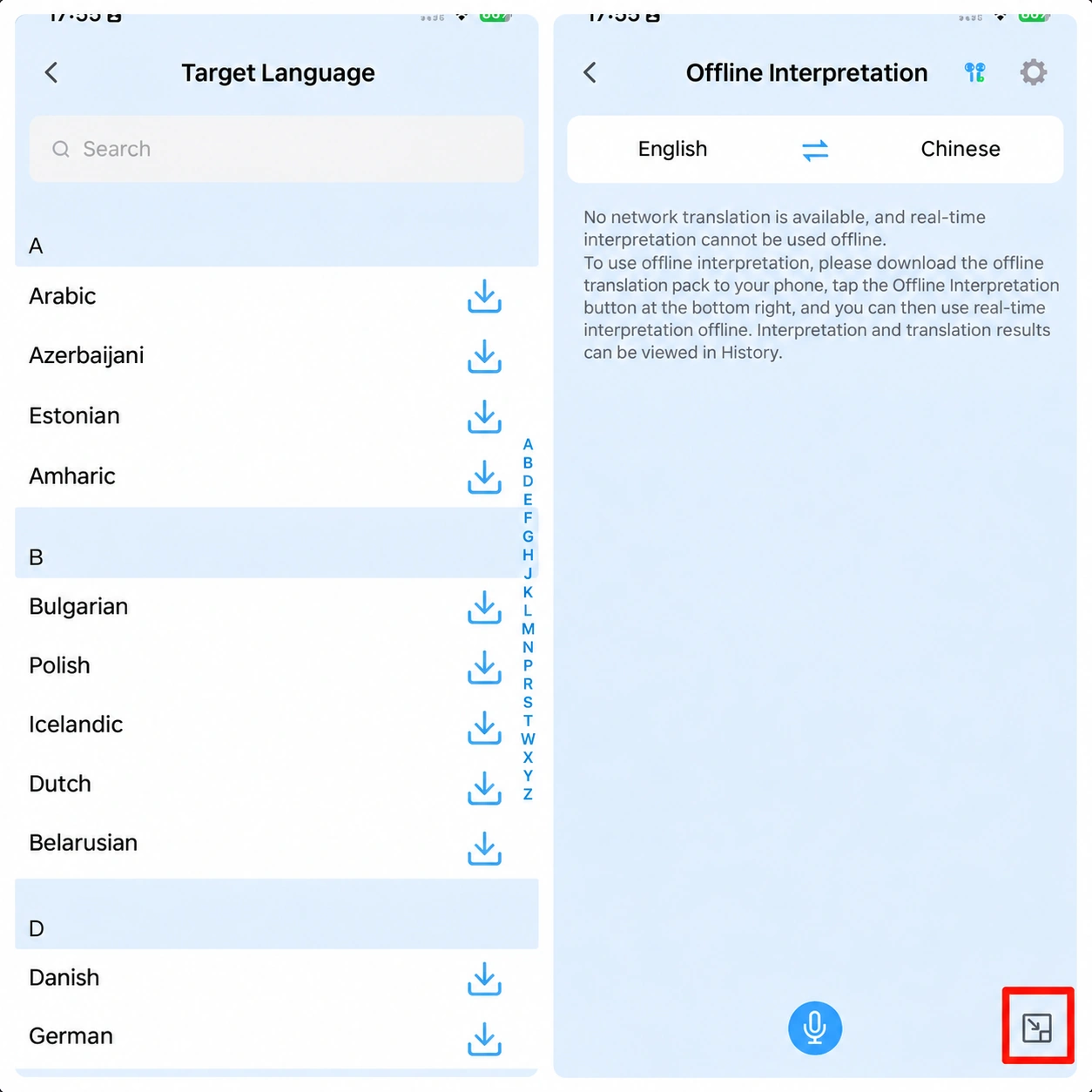
3. You can also clickLanguage barDownload the required offline resource pack
4. Click after enabling simultaneous interpretationFloating in the bottom right cornerWindow button, can display simultaneous interpretation content in a floating window
Introduction to iTour TX06 Headphone Offline Conversation Function
Offline conversation:After downloading the offline language pack,In an offline environmentYou can also start a conversation, the specific steps are as follows:
1. ClickMicrophone, prompt to download offline resource package
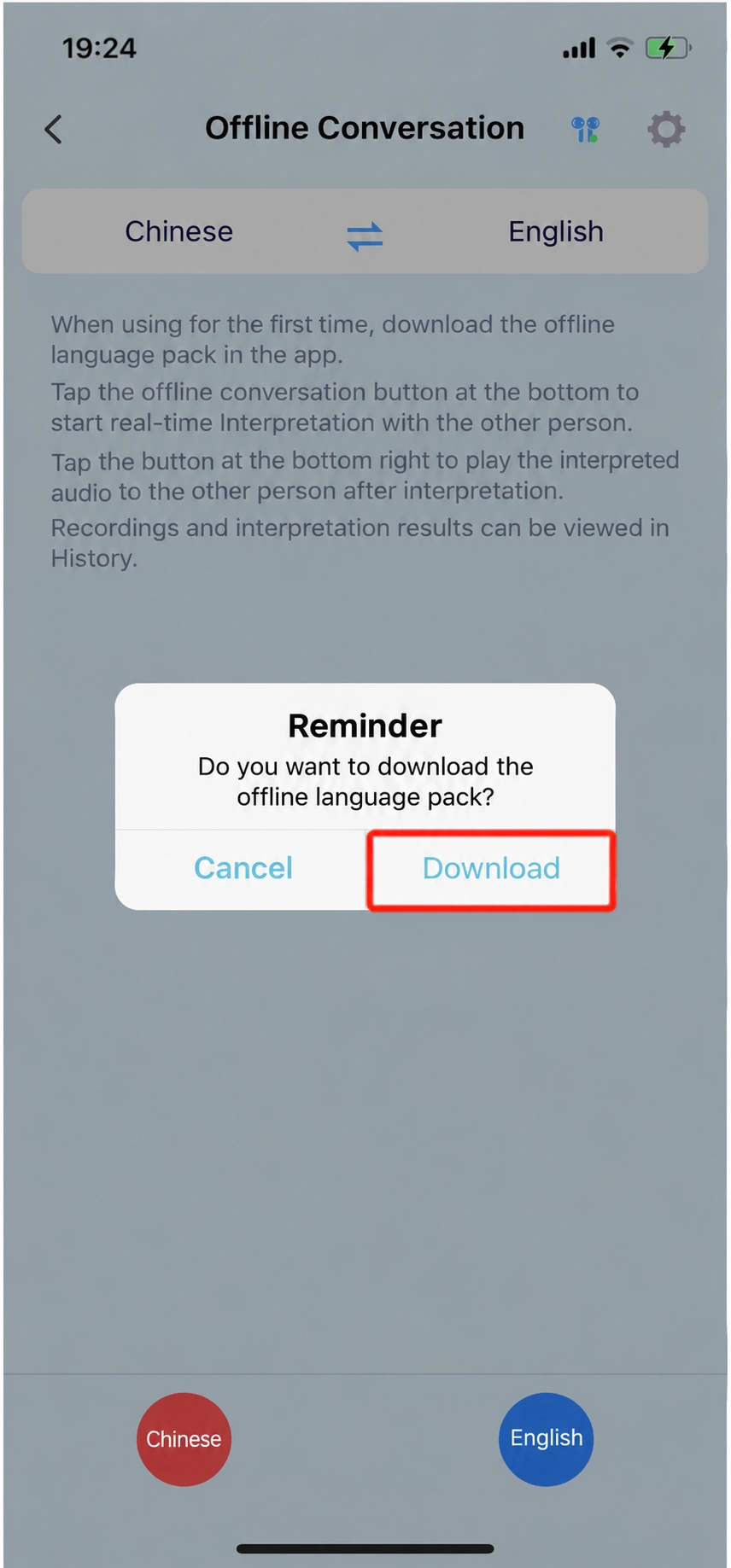
2.First timeDownloadDefault language pairOffline resource pack
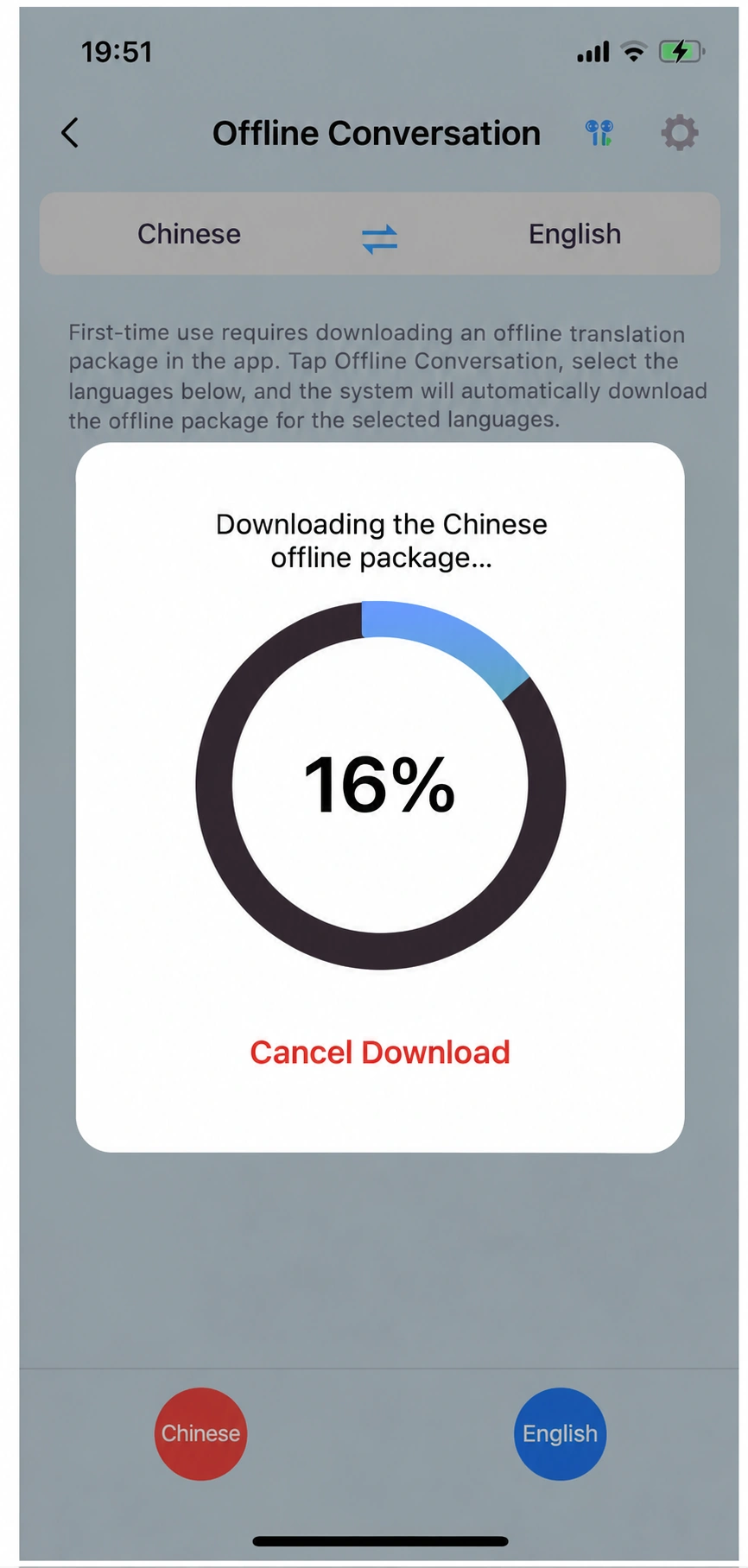
3. You can also clickLanguage barDownload the required offline resource pack
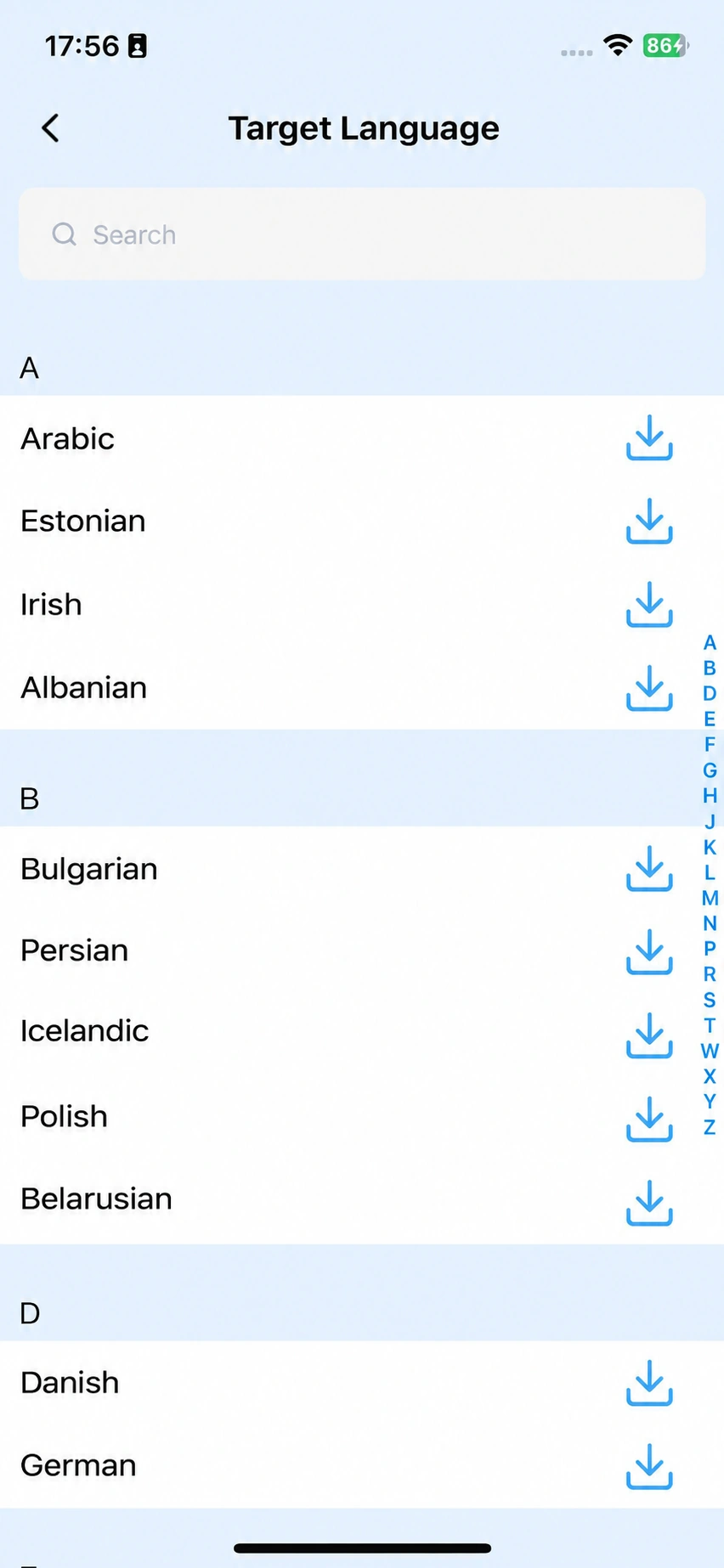
4. After the offline language pack is downloaded successfully, you can click the language buttons on the left/right.Start conversation / Click again to turn off recognition, send the translation and play it aloud
5.Left sideButton recognitionthe other partyLanguagetranslate into your languageLanguage, translated contentHeadphone announcement, Right sideButtonIdentify our sideLanguageTranslate into the other party's language, translation contentPhone SpeakerAudio Playback
Why does one arm of the iTour TX06 headphones have no sound?
1. Please make sure that the batteries in both temple arms are sufficiently charged.
2. Adjust the wearing posture to ensure both temple arms are felt.power on andLeft channelandRight channelup to
3. The contact points at the ends of the Bluetooth temple arms are prone to sweat and other dirt, which may cause them to malfunction. You can try wiping them clean with a glasses cloth before wearing them again.
Didn't find the answer?Contact Online Customer Service ↗ · Contact us · Return to Help Center

 Support