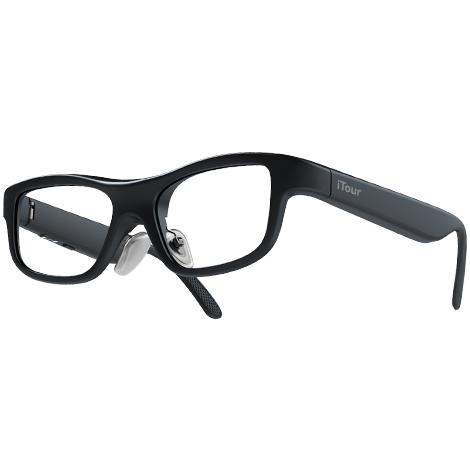
A pair of glasses, travel the world
SCAN THE QR CODE ON THE RIGHT SIDE OF YOUR MOBILE BROWSER FOR iTour AR APP
Key Features
TEL:
0551 - 65117395
+1(425)384-9198
Face-to-face conversation chat without barriers
Smart Navigation Teleprompter Speech
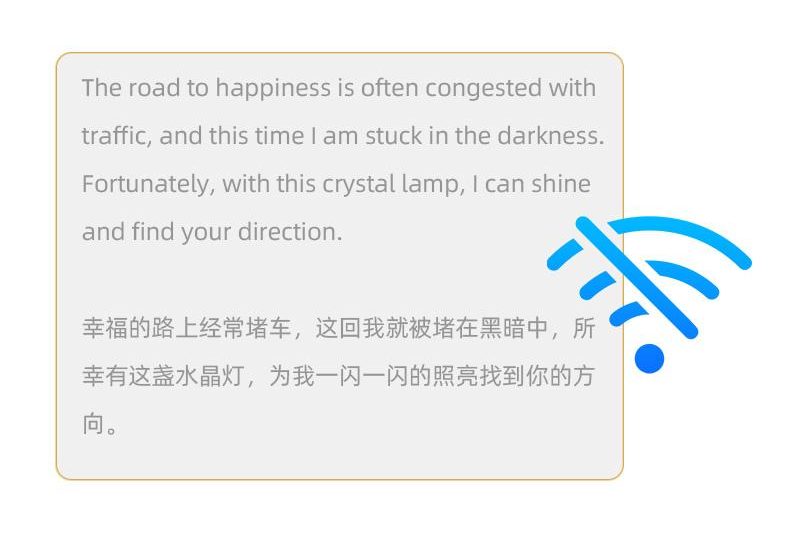
Chinese, English, Japanese, Korean, offline translation
International flights/large-scale presentations can also solve translation needs without Internet access
VERSATILE TRANSLATION FOR INTERNATIONAL TRAVEL
These glasses are essential for international travelers, providing real-time translation during business trips, medical appointments, and even while boarding your mode of transportation. The instant language assistance enhances the travel experience, making navigation and communication in foreign countries straightforward and stress-free.
How to Set Up
Setting up and using your glasses
Step 1
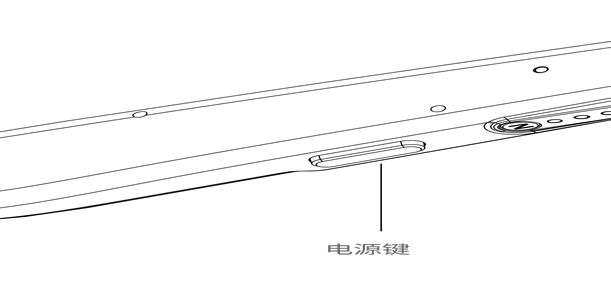
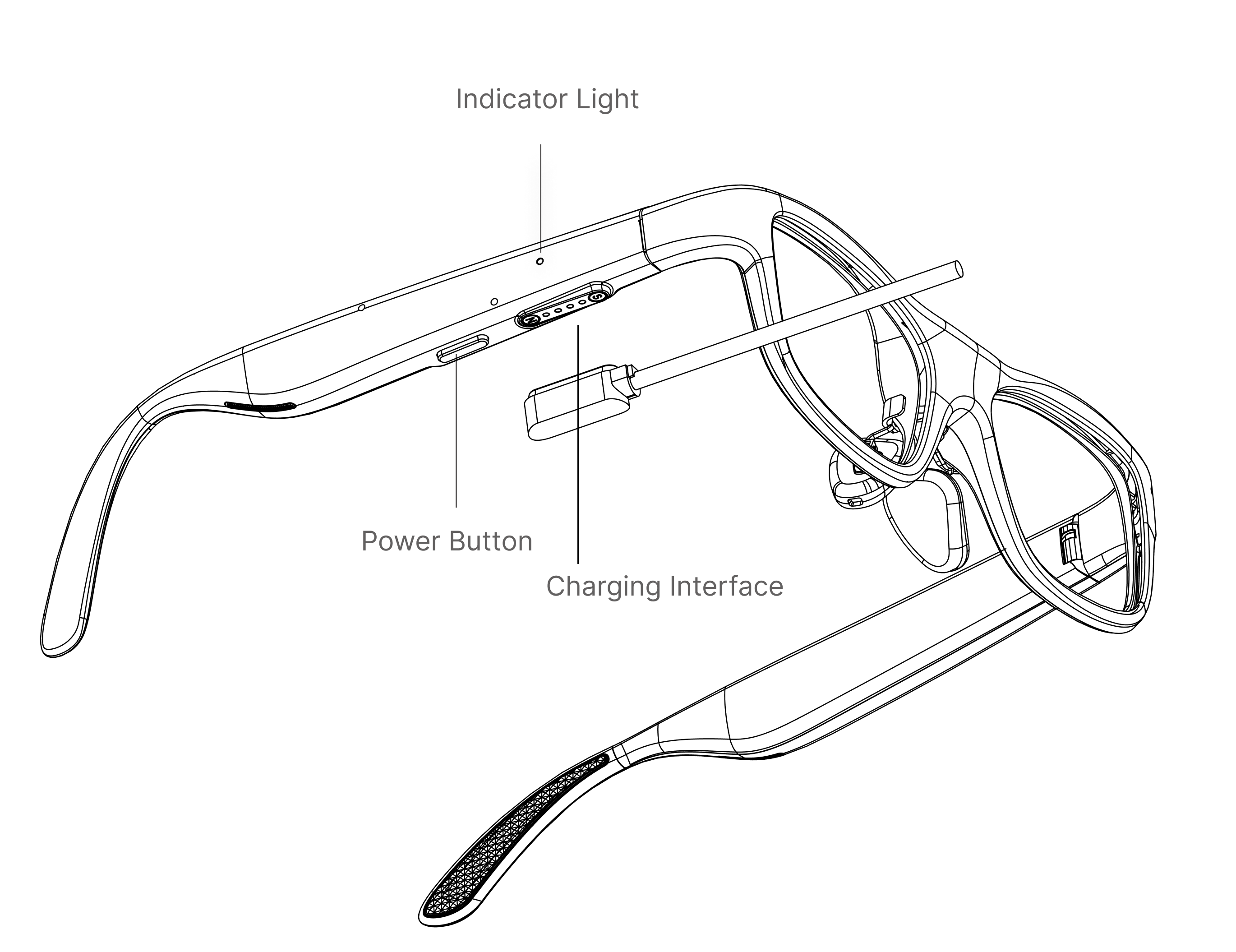
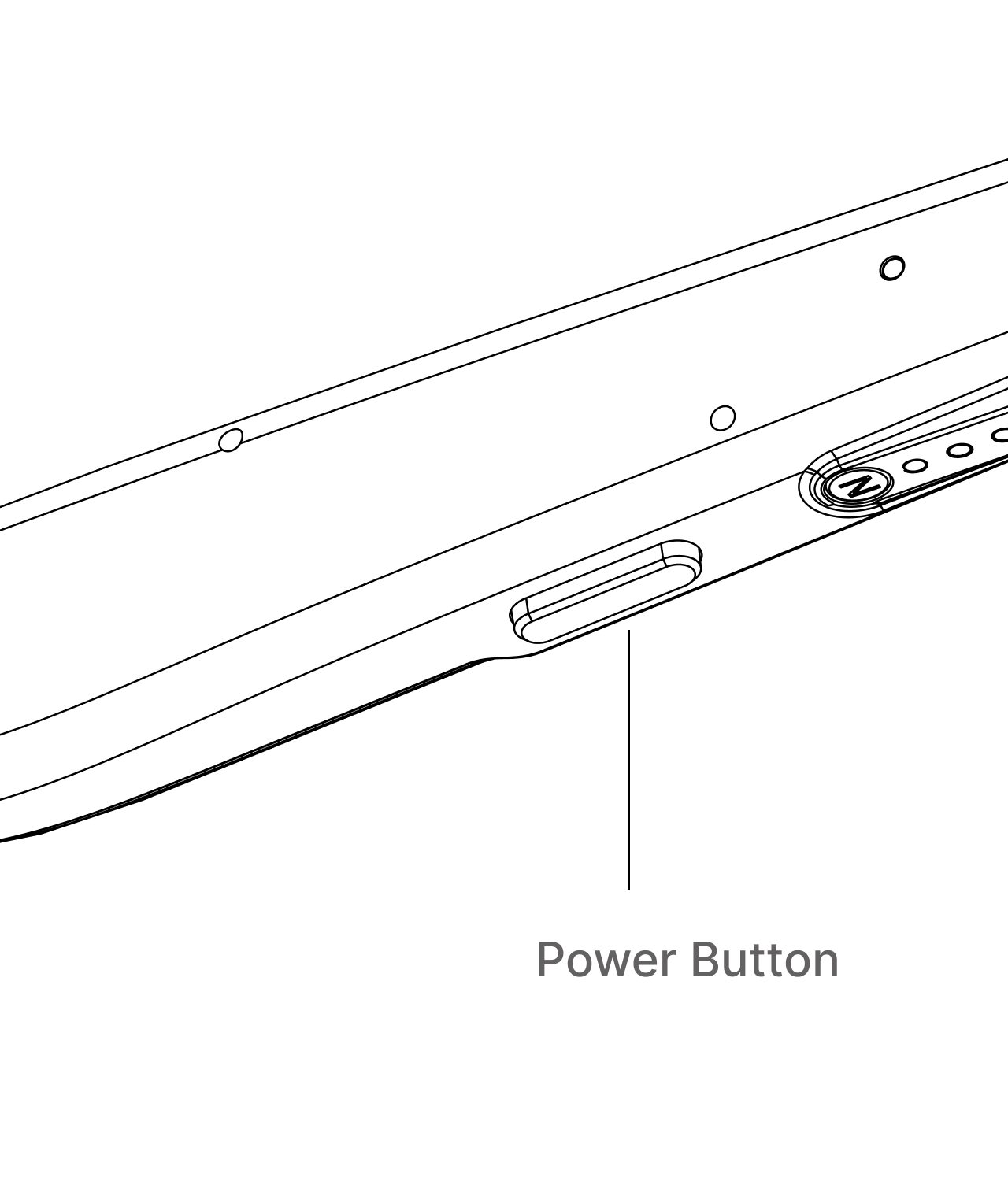
Long press the power button to turn on
*Long press the power button for 2 seconds, the blue light is on, successfully power on.
Step 2
Enhanced wearing comfort
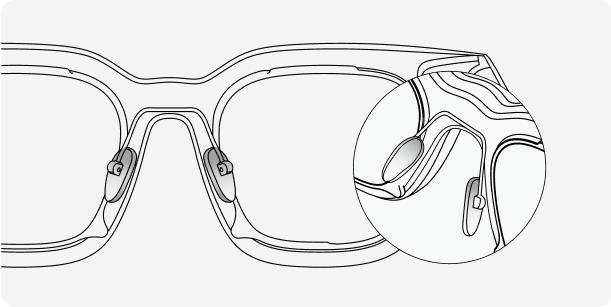
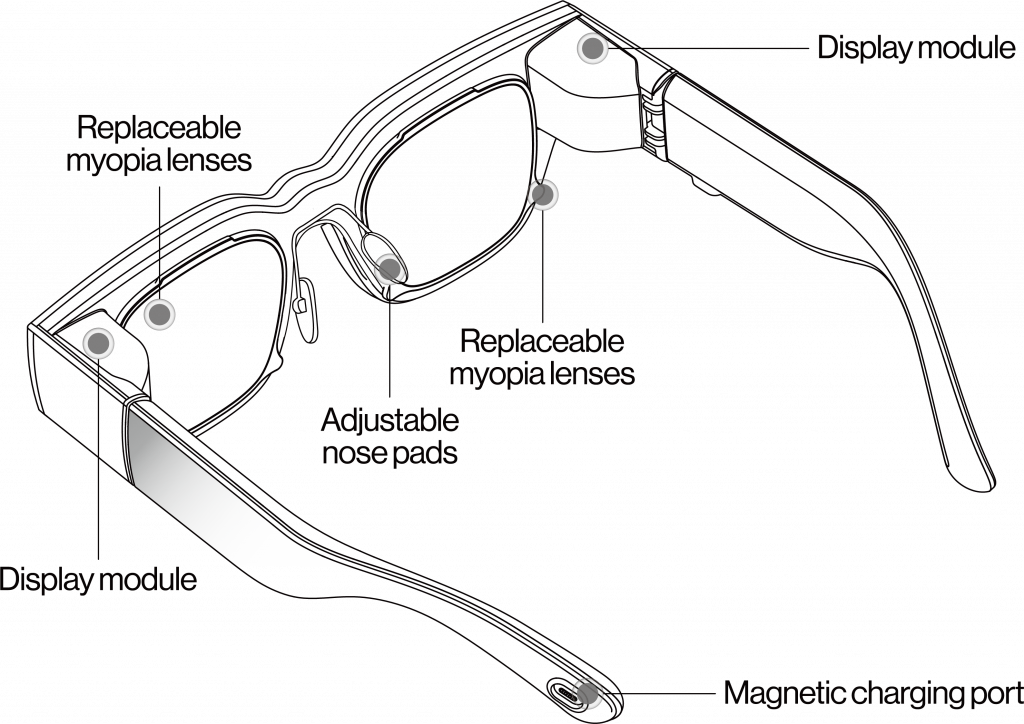
* Adjust the height of the nose pads for a more comfortable fit.
Step 3
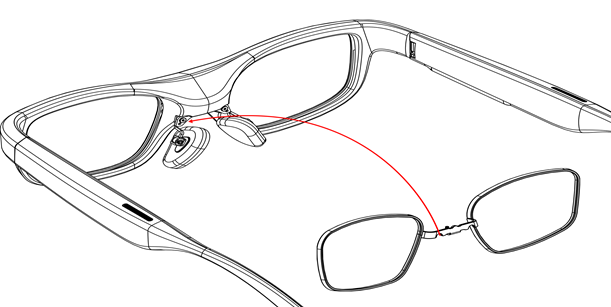
Overlapping Prescription Frame Design
* The metal frame of the prescription lenses can overlap with the nose pad frame, making it convenient for users who wear prescription glasses.
How to Use
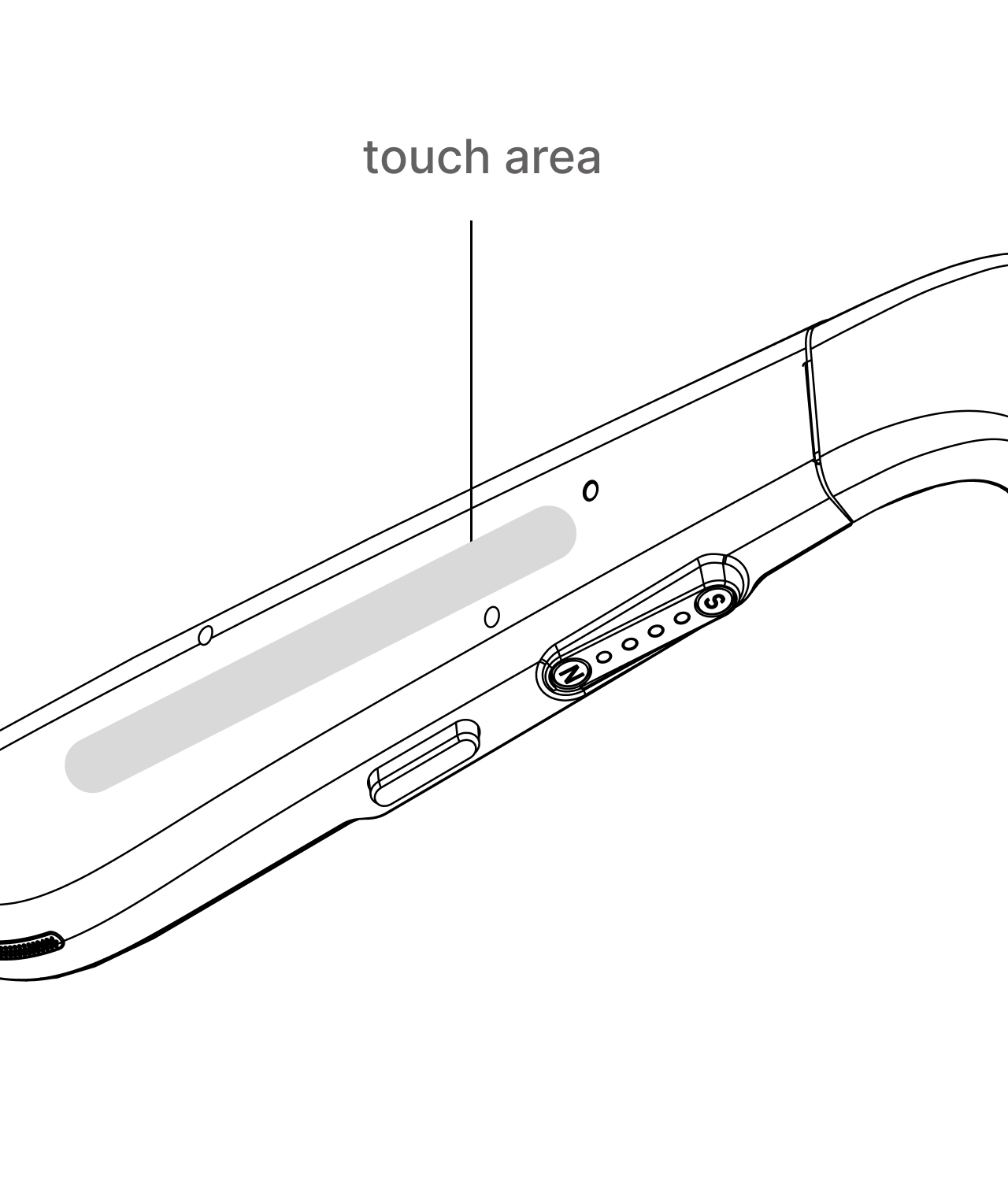
- 1. Touch Control Area
- Swipe left/right — Switch pages
- Double tap — Back
- Long press — Confirm
- Prescription Lens Installation
- Align the metal frame of the prescription lens with the nose pad frame, with the screw hole facing downward.
- Prescription Lens Installation
- Align the hole of the prescription lens frame with the screw hole at the bottom. Use the screwdriver from the tool kit to install the screw. Do not remove the nose pad screw.
- Power Button
- Short press — Sleep / Wake
- Long press — Power on / Power off
Review
Customer evaluation
Customer Photos


The best AR glasses!
My first time seeing these AR translation glasses as an international student was during my first year of study in the UK. I envied others who had these glasses because they greatly improved the efficiency of their studies. Why did I choose iTourTranslator glasses? This is because international students commonly use simultaneous interpreting software from “iTourTranslator”. Their software has a lot of features that make it very convenient to use with AR Translator glasses.
Love the AR glasses!
I have used these AR glasses in my classroom and they have opened up new ways for my students to learn about the world. Interactive lessons have never been more engaging. This is the future of education.
It's fun and interesting.
This AR glasses have changed the way I interact with digital content! The display is clear and integrates seamlessly with my devices. They’re more than just a gadget, they’re an important part of my daily technology use.
FAQs
What are the main features of AR Translation Glasses?
Can AR Translation Glasses be used normally by near-sighted people?
Answer: We will officially provide magnetic prescription frame + prescription lens template; users can provide their own optometry data, we have the corresponding package containing myopia lens sold in the mall, you can also configure your own myopia lens offline. The myopic lens lenses are mounted on the inside of the waveguide, which is in the form of magnetic suction + snap, very easy to install.
Do AR translation glasses affect my eyesight?
Answer: The iTour A1 utilizes optical waveguide technology, with its standard imaging distance set at a comfortable 3 to 4 meters for the human eye, similar to viewing an image projected onto a wall at that distance. Therefore, it does not exacerbate myopia.
Can AR translation glasses be used for exams?
Answer: It is officially not recommended for use during formal exams.
How is the battery life of the AR Translator Glasses?
Answer:In continuous translation mode, text-display-only usage lasts up to 4.5 hours, while simultaneous voice broadcast reduces this to 2.5 hours. Standby battery life can reach up to 12 hours. We recommend turning off the device when not in use to conserve battery life.
Do AR Translation Glasses support offline translation?
Answer: Offline translation is supported. The glasses can currently recognize 19 languages including Chinese, English, Japanese, and Korean, and support offline translation for 40+ languages. You can download offline language packs in advance for convenient use while traveling.
Can AR translation glasses achieve two-way translation?
Answer: AR translation glasses with audio watch use. Can achieve two-way translation; AR translation glasses can be set up after the watch with the effect of two-way translation. AR glasses: let you see, broadcast watch: let the other side see and understand.
Actual scenario: A speaks Chinese, B speaks English; A wears the glasses to communicate with B; the glasses turn on high-precision simultaneous interpretation, language setting: English → Chinese; when A needs to understand the English spoken by B, the glasses will translate and display subtitles; when A needs to speak Chinese so that B can hear English, the speaker watch will translate it and play the English audio for B.